
BlackBull Markets account setup and starting copytrading step by step.

Follow the guide below to join the BlackBull Markets system. Copy only the following official strategies:
Log in to the BlackBull Client Portal, find the Copy Trading section in the menu, and sign in as a Follower.
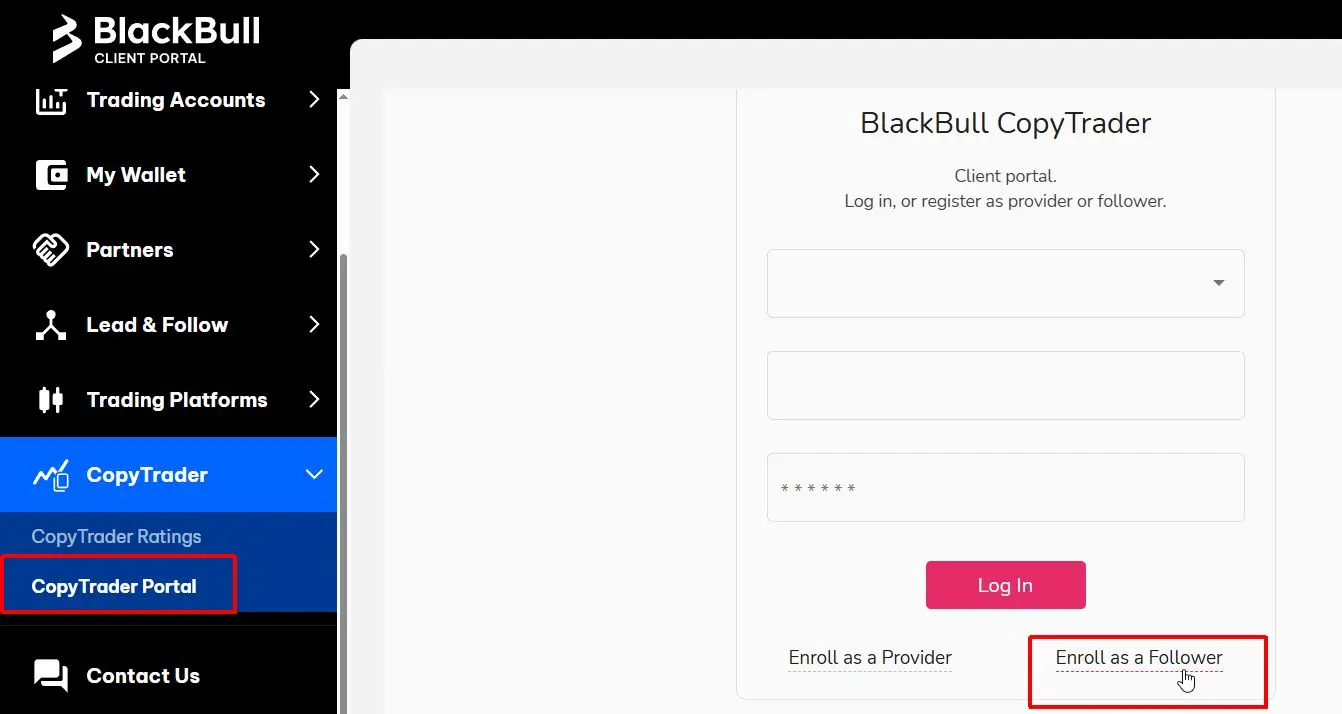 Click to enlarge
Select the account you wish to use for copying (we recommend the Prime type for best results), enter the name of the desired strategy, and click Select Role.
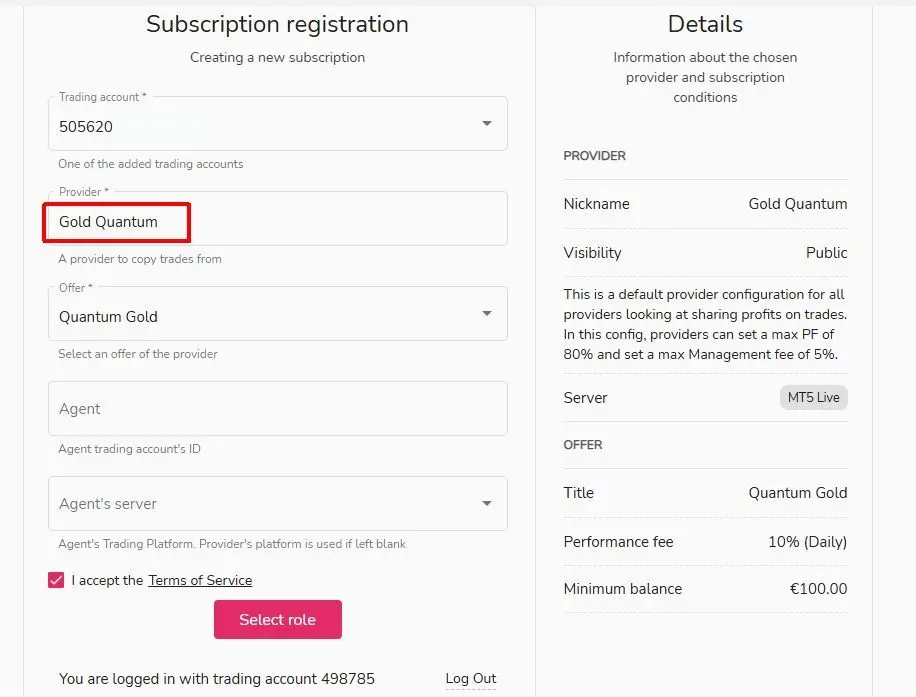 Click to enlarge
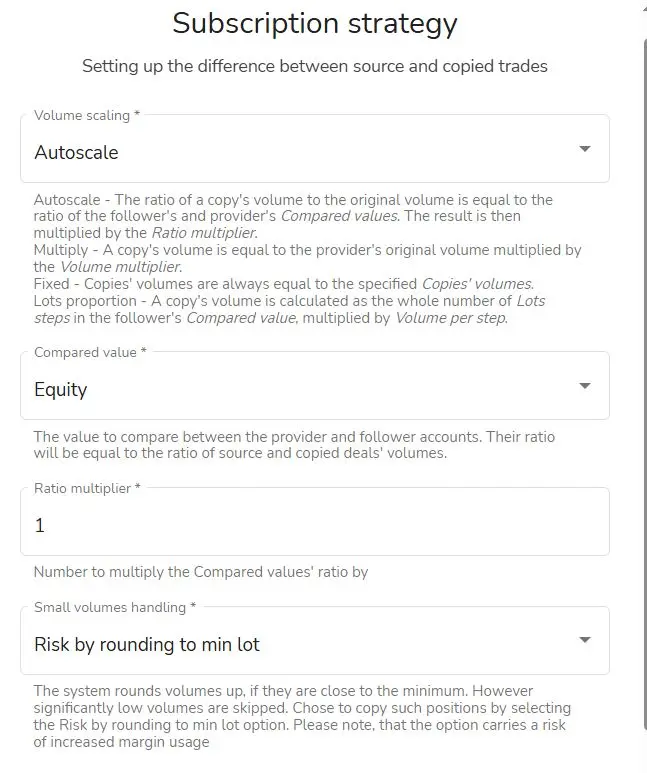 Click to enlarge
In the Total loss field, enter the specific amount (in your account's currency) at which you want the system to automatically stop copying. (e.g., for $1,000 capital, a value of 500 = stop at $500)
This is an optional security setting; if you don't want a limit, leave it empty.
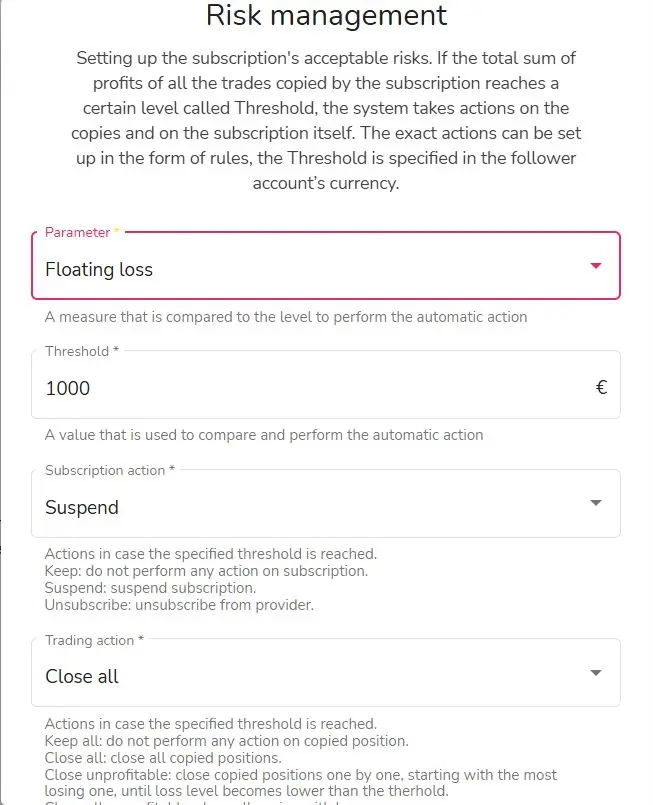 Click to enlarge
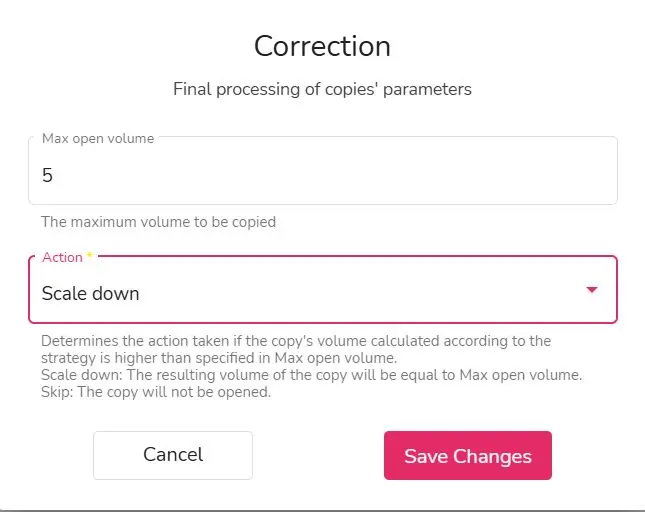
In the Max open volume field, you can limit the maximum number of lots. In the Action field, it is recommended to select Scale down: this way, if the limit is exceeded, the system doesn't reject but reduces the trade to the allowed maximum.
This is an optional security setting; if you don't want a limit, leave it empty.
 Click to enlarge