
XM account setup and starting copytrading step by step.

Follow the 5-point guide below to join the XM system. Use the exact name of the strategy in the search.
Log in to the XM platform, and in the main menu, navigate to the Copy Trading section. High will enter the XM Social Trading portal.
 Click to enlarge
In the appearing search box, type the strategy name: Gold Genesis. Select the strategy from the list, then click the Copy button next to the name.
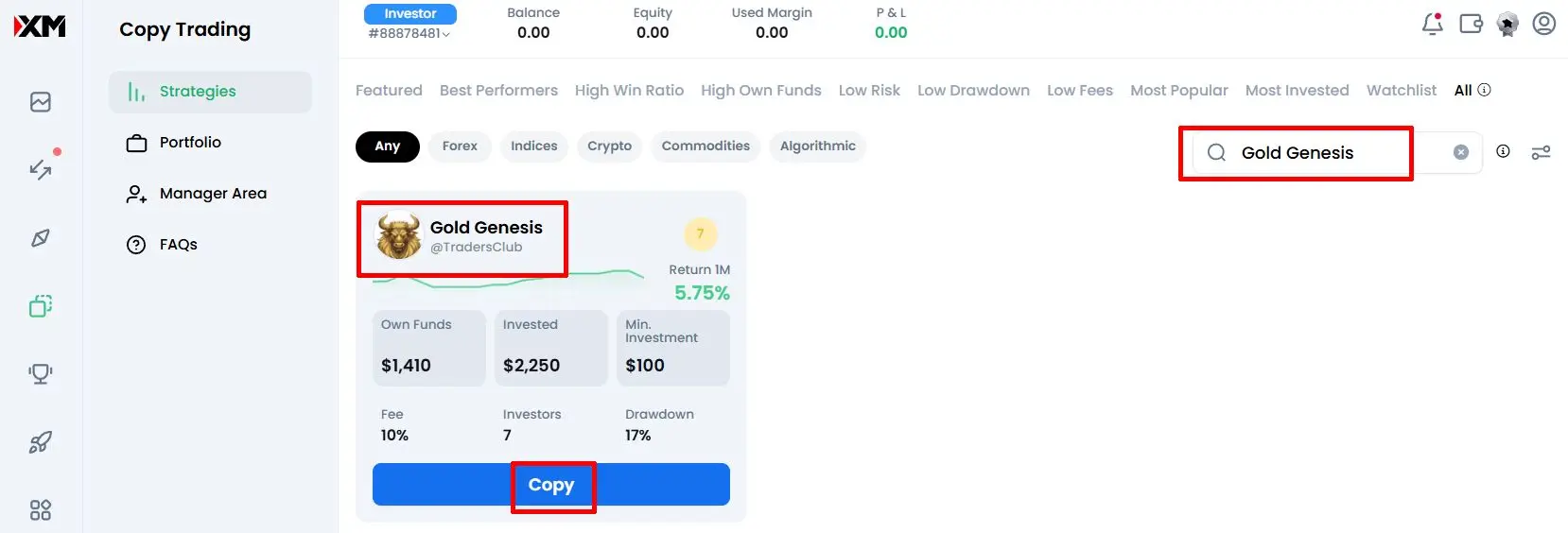 Click to enlarge
When starting the copy, the system will offer to create an Investor Account. Click the button to launch the technical account.
 Click to enlarge
A window will pop up where you can enter copying parameters. Specify the amount assigned for copying, and set the proportional copying (multiplier) according to your capital.
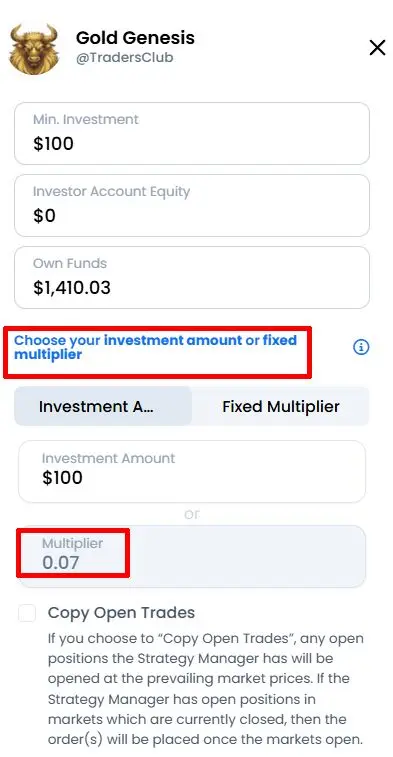 Click to enlarge
You can set a Stop Loss (%) value to protect your capital, which will automatically stop copying at a certain level. Then click the Copy button, and the process will start. You can follow results in the Portfolio menu.
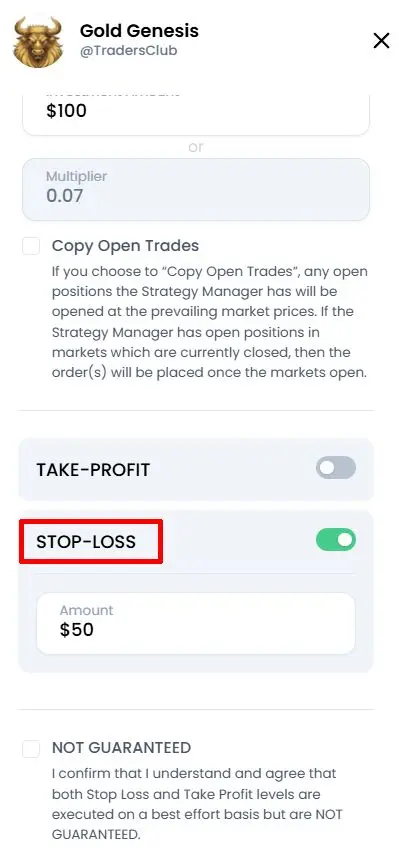 Click to enlarge
If you don't have an account yet, you can register via the buttons below: