
Vantage Markets account setup and starting copytrading step by step.

Follow the detailed 6-point guide below to join the Vantage Markets system.
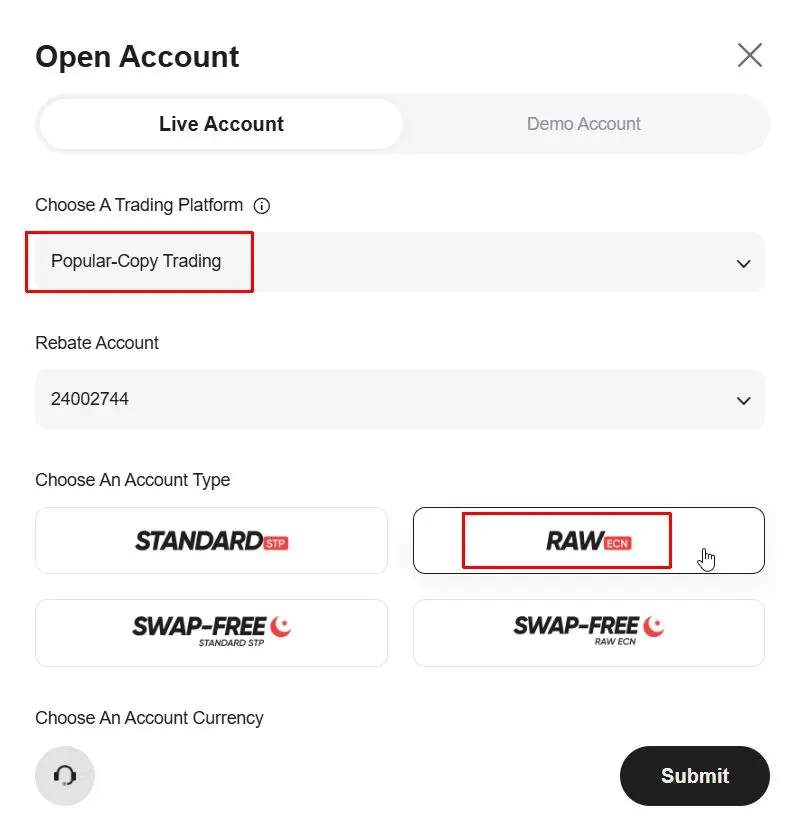
Create a new Trading account on the portal. We recommend choosing the Raw ECN type. This account type ensures the lowest spreads and lightning-fast execution, essential for the precise operation of our algorithms.
 Click to enlarge
In the top menu, select Copy Trading, and in the dropdown, click Discover to reach the strategies.
 Click to enlarge
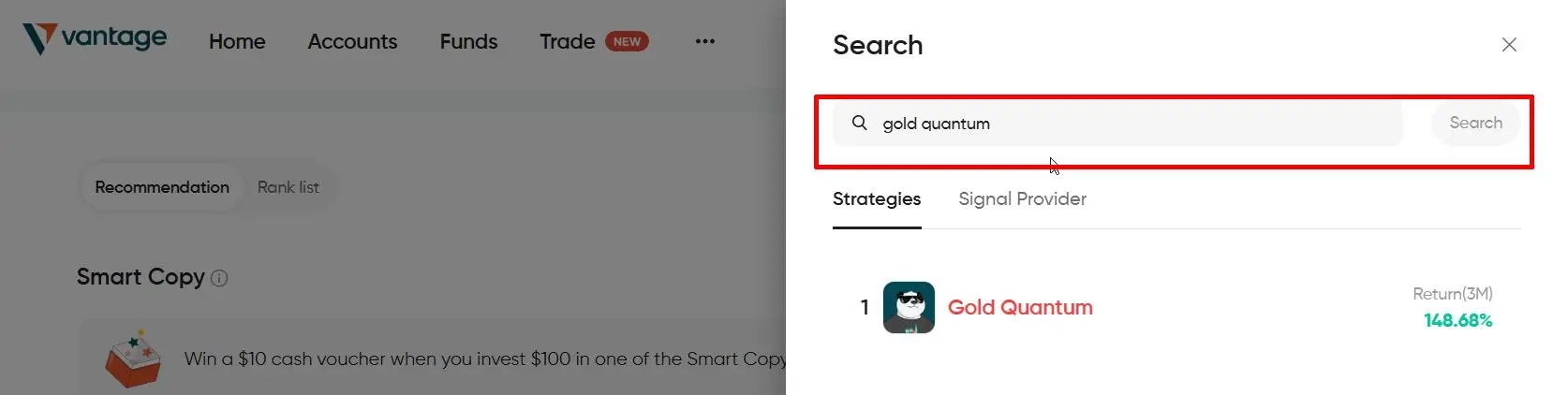
Type the name of the strategy you want to copy into the search box. Use the 'Copy Text' buttons above to paste the name accurately. E.G.: Genesis Gold Quantum.
 Click to enlarge
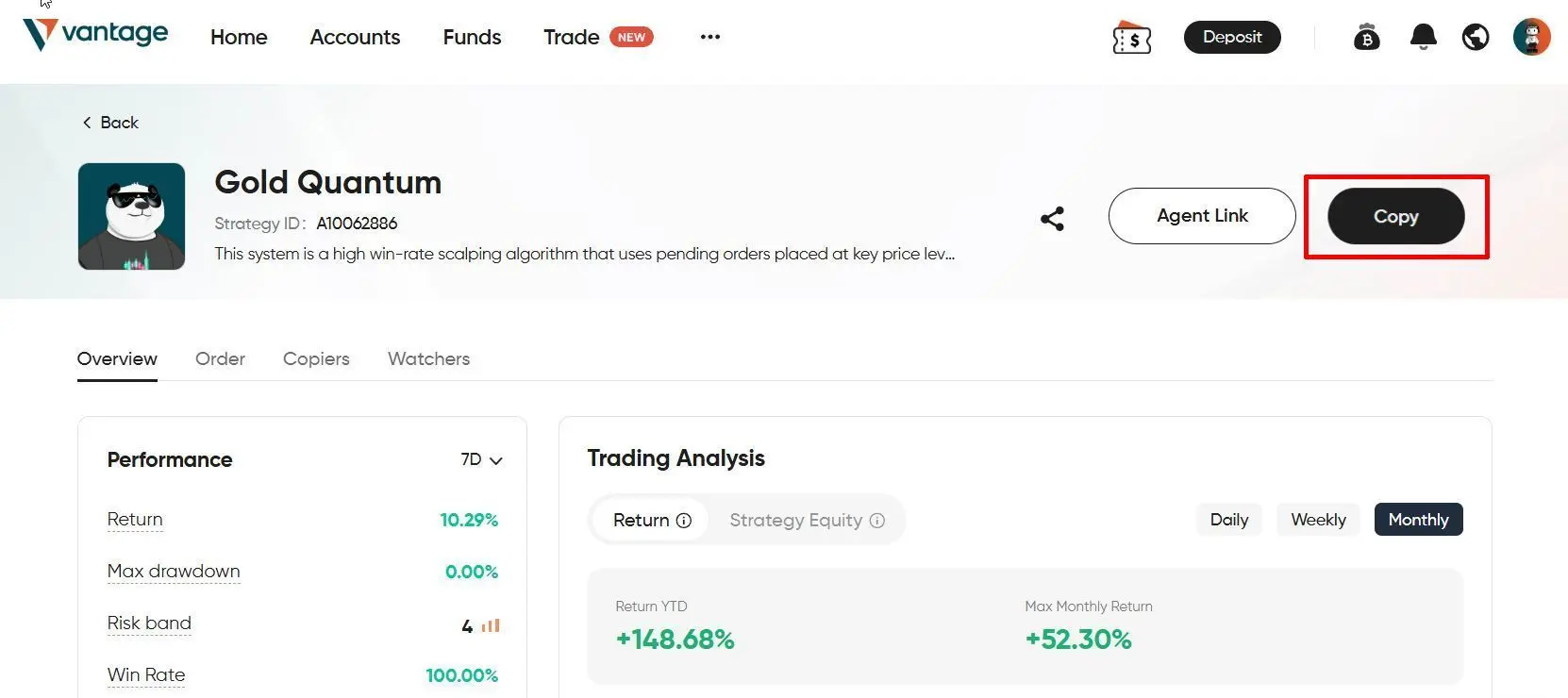
On the strategy data sheet, click the Copy button. There you can select your prepared Investor Account for the connection.
 Click to enlarge
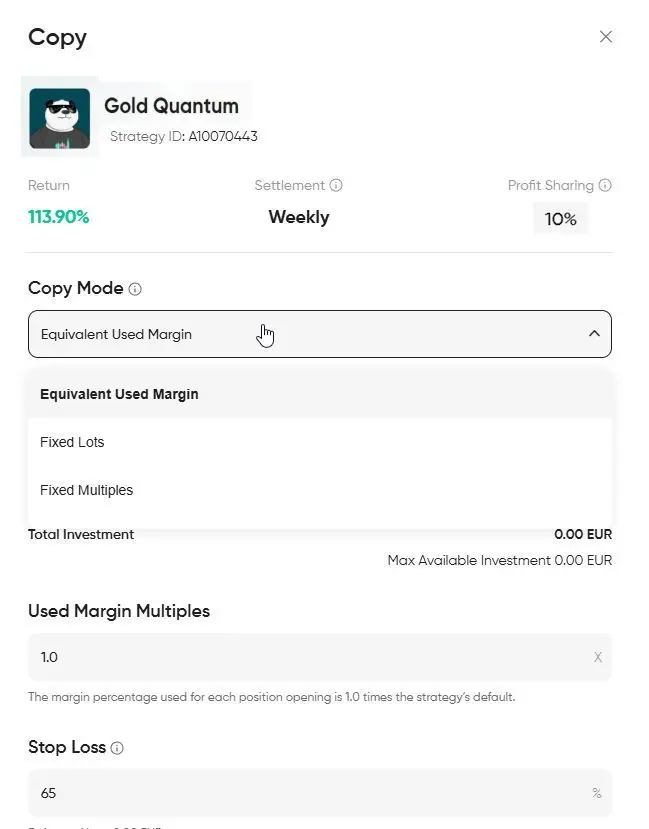
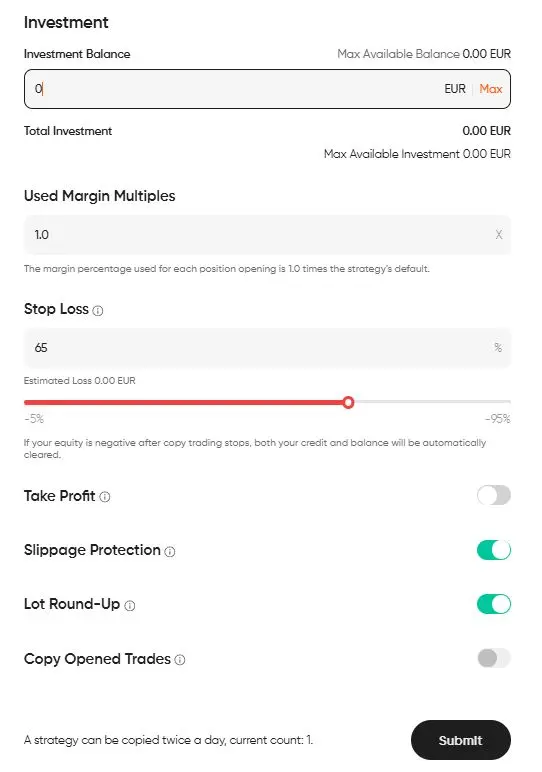
Enter the capital assigned for copying. In Volume mode, be sure to select Equivalent Used Margin, and leave the multiplier at 1.0 (100%).
 Click to enlarge
Before clicking Submit, we recommend setting the following:
Then click Submit to start copying.
 Click to enlarge